Semi-automating the soul-crushing "where's the birth date?" hunt in PDFs
Here is what this post covers:
- Introduction
- The screen after opening a PDF
- Supported documents
- Reading scanned PDFs
- Comparing with last year
- Keeping the PDF off the internet
- Jobs it could help with
- Wrapping up
Introduction
An acquaintance asked whether there was a way to automatically find key details like names and birth dates in PDF documents, because hunting for them by hand was tedious.
So I built PDF Extraction Viewer. Open a PDF and it pulls out name, address, birth date, employer, annual income and so on, lists them, and highlights where each one sits on the PDF. It runs in the browser with no installation or sign-up.
The app and the documents it reads are Japanese, so the screenshots show the Japanese interface. Every person, company and address in them is a fictitious sample.
The screen after opening a PDF
Drag a PDF onto the page and you get this. It is a sample rental application.
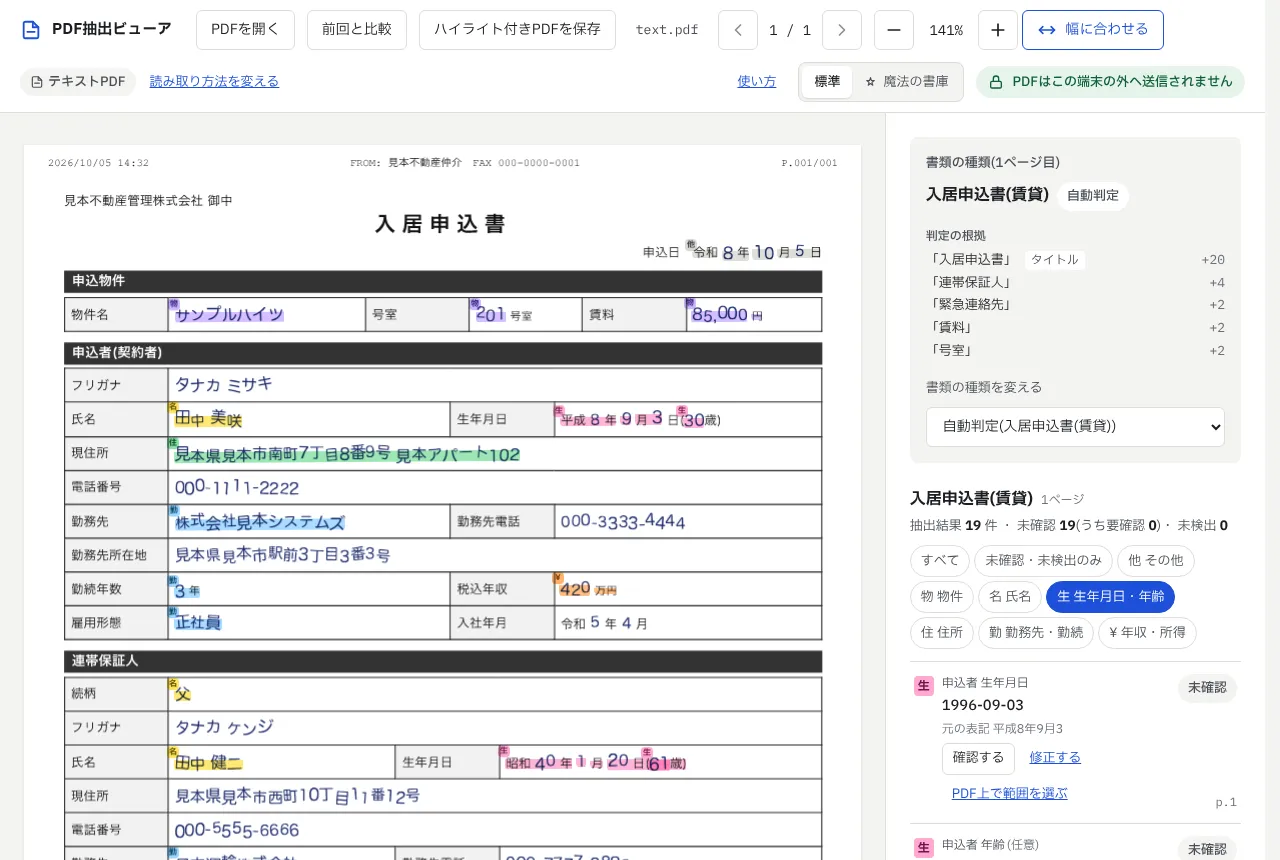
The PDF is on the left and the extracted fields on the right. Each kind of field has its own color: yellow for names, pink for birth dates, green for addresses, and so on. The tool also identifies the document type, and converts Japanese era dates such as “平成8年9月3日” to 1996-09-03.
You go through the fields with “Confirm” and “Edit”. For a field it could not find, you drag over the PDF to fill it in. Results can be saved as JSON or as a PDF with the highlights written in as annotations.
Supported documents
It currently supports six kinds of documents, all ones you receive during rental or home loan screening in Japan.
| Document | Main fields |
|---|---|
| Withholding tax slip | Name, address, birth date, employer, payment amount (annual income), etc. |
| Tax / income certificate | Name, address, birth date, salary revenue, total income, etc. |
| Resident tax notice | Name, address, employer, salary revenue, annual tax, etc. |
| Tax return, form 1 | Name, address, occupation, business revenue, tax due, etc. |
| Home loan application | Name, employer, annual income, other debts, requested amount, etc. |
| Rental application | Property, rent, names, employers and incomes of applicant and guarantor, etc. |
A home loan application is the form you give a bank to borrow money for a home. You write the amount you want, your income and other debts, and the bank checks them against documents such as a withholding tax slip.
Reading scanned PDFs
PDFs that are just scanned images go through OCR inside the browser before extraction. Here is a sample tax certificate with a “複写” (copy) anti-forgery pattern across it.
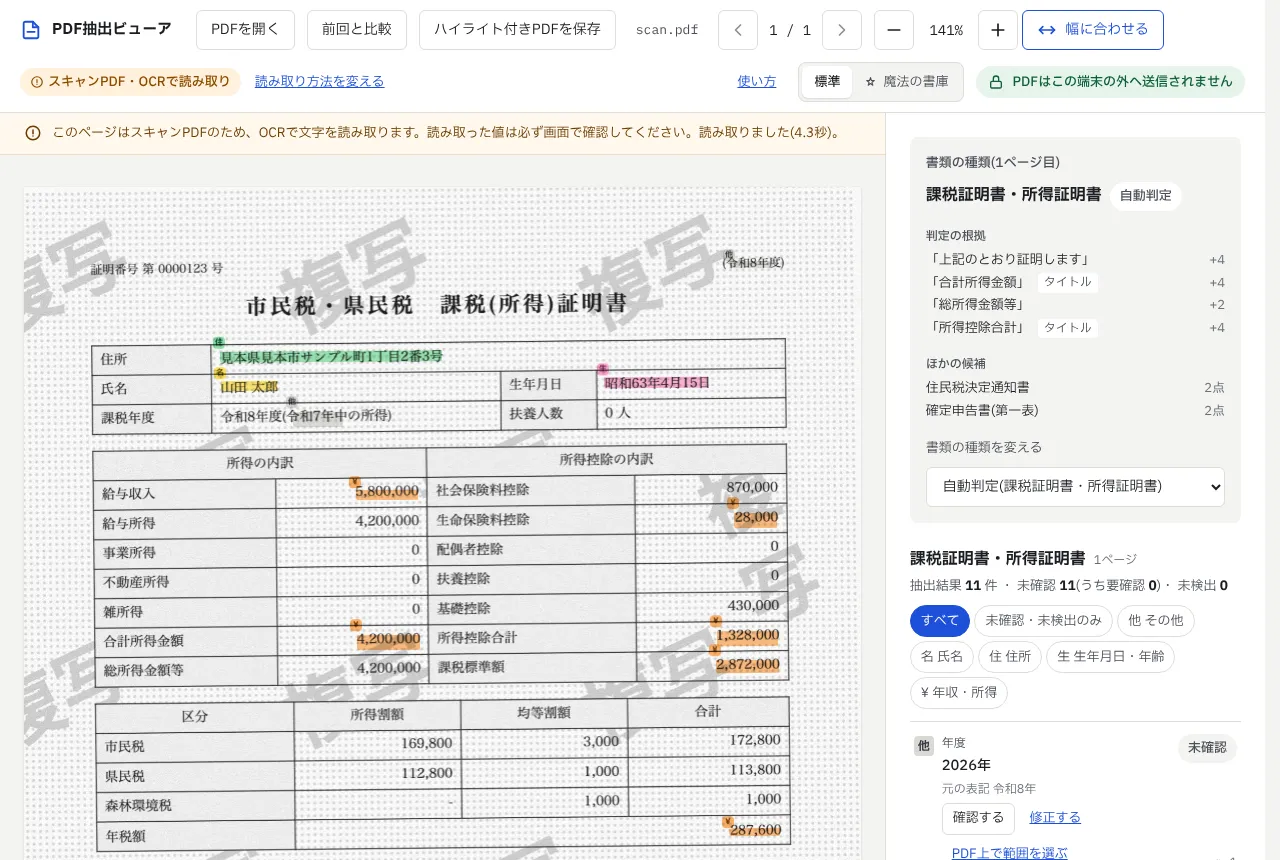
Name, total income and the rest come through despite the pattern. But “salary income” picked up 28,000 from the life insurance deduction cell by mistake. Since the color shows where each value came from, mistakes like this are easy to spot. Handwritten documents are still beyond it.
Comparing with last year
“Compare with previous” lets you compare with last year’s copy of the same document, either as a PDF or as a saved JSON file. Below, the 2025 withholding slip is compared with the 2024 one (which I made by editing the sample’s amounts).
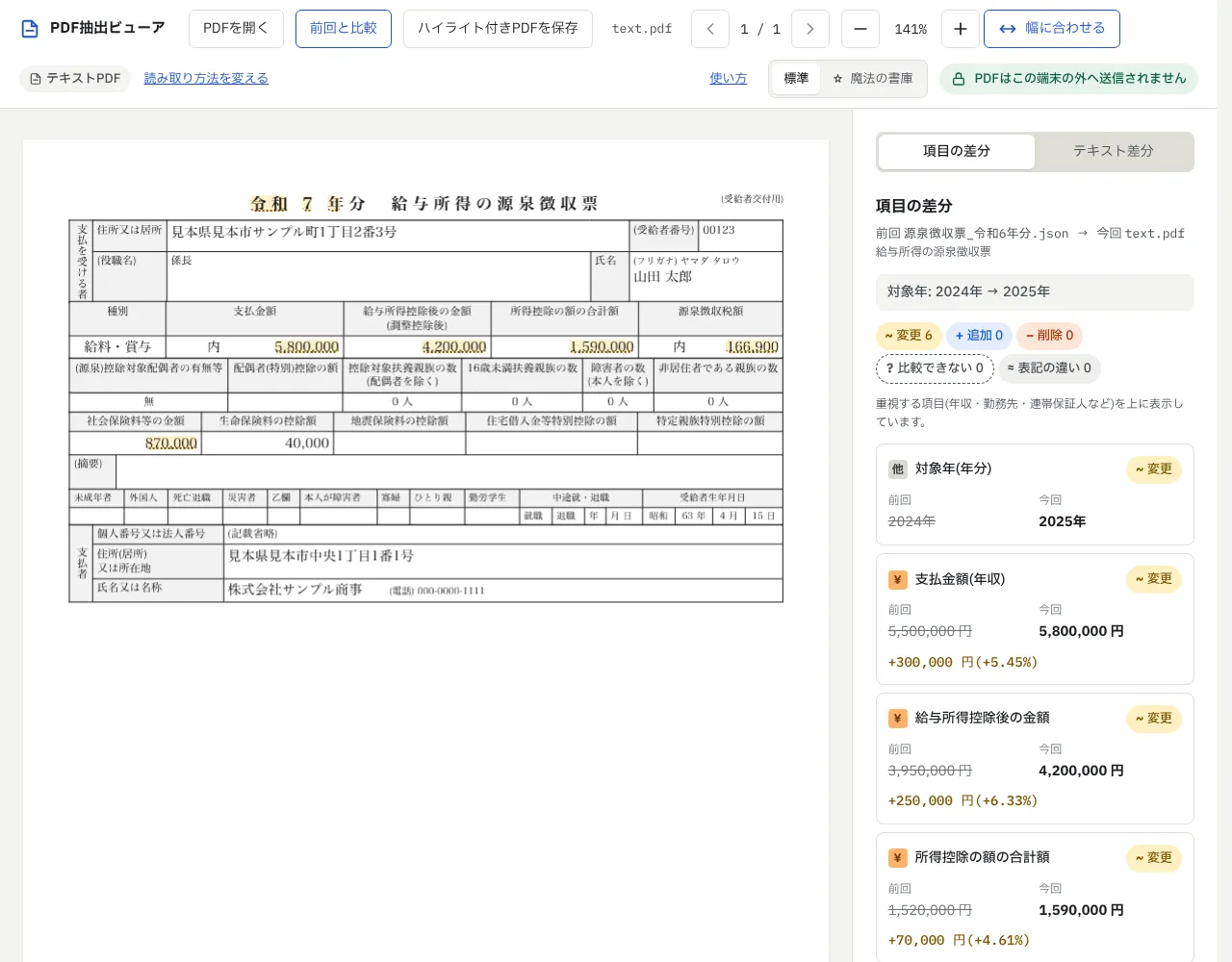
The payment amount went up from 5,500,000 yen to 5,800,000 yen. Changed fields are listed with the difference and percentage change. If the name or birth date differs, it warns that the documents may belong to different people.
Keeping the PDF off the internet
Because these documents contain personal information, the contents of the PDF are processed only inside the browser.
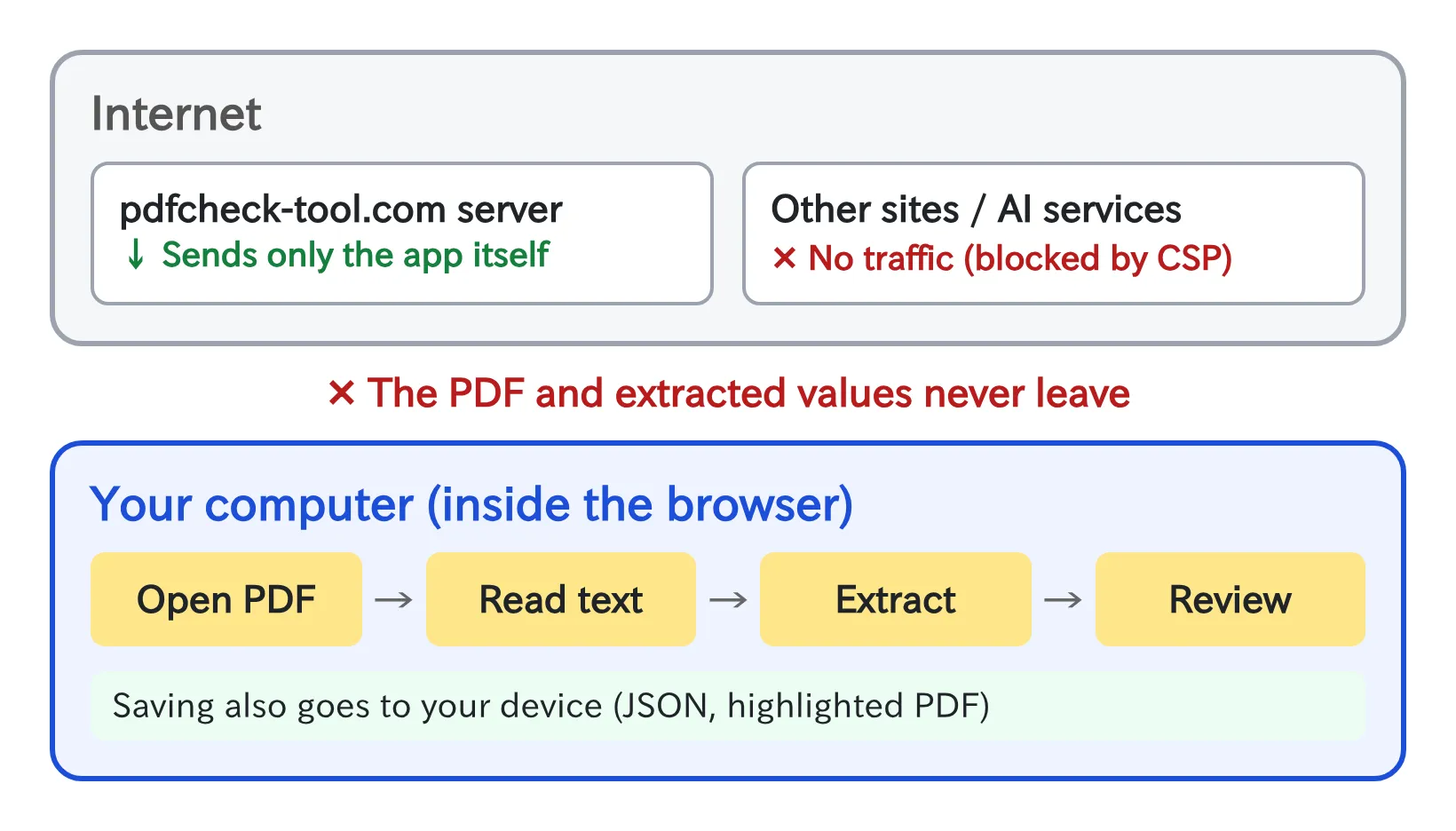
The only time it touches the network is when the page opens and downloads the app and OCR data. The PDF you load and the values extracted from it are never sent anywhere. Extraction uses rules built from regular expressions and text positions, with no AI service. A CSP (Content Security Policy) also blocks traffic to any other site.
Jobs it could help with
Going by the supported documents, it could help with:
- Tenant screening at rental agencies, property managers and rent guarantee companies
- Checking home loan applications at real estate brokerages and banks
- HR and payroll handling a mid-year hire’s withholding slip from their previous employer at year-end adjustment
- Tax accountants and financial planners pulling numbers from tax returns and withholding slips
Wrapping up
I built a tool that extracts names, birth dates and incomes from PDFs, highlights them, and compares them with last year’s documents. The PDF never goes out to the internet, so it works for documents with personal information. The source code is on GitHub.